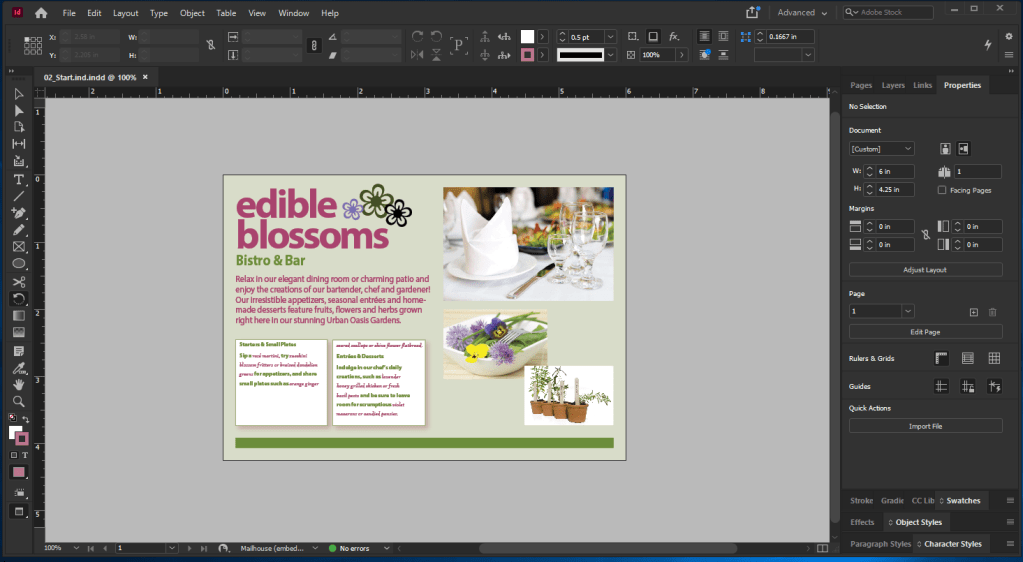
I finally finished Lesson 2 of InDesign. I don’t remember all the basics, but I’ve learned some of the components. Updating the font style of a paragraph can also be used in the Character Styles panel. For instance, I want a new font or text to update a line for the paragraph. I create a new character style by clicking on the panel menu (top-right corner of the panel), and naming the new style whatever I want. I also make sure that Apply Style to Selection is selected so it would stay in the panel. This will make any word change into different font every time I highlight it and click on one of the panels in Character Styles. There’s also another thing I’ve learned about when clicking and dragging the Dining Room image. Because the navigation is slightly different than what I use in Illustrator and Photoshop, I had to position the the image icon at the intersection of the line guides in the upper-right quadrant and drag down to the right until the pointer touches the guide on the bottom-right corner. I got confused, but managed to worked it out. So far, I’ve learned my mistake and will do better in the Lesson 3.
 Alice's Blog